
Looking for Pak Rummy for iOS? You can access Pak Rummy directly through your browser on an iPhone or iPad, so you don’t need to install an APP.
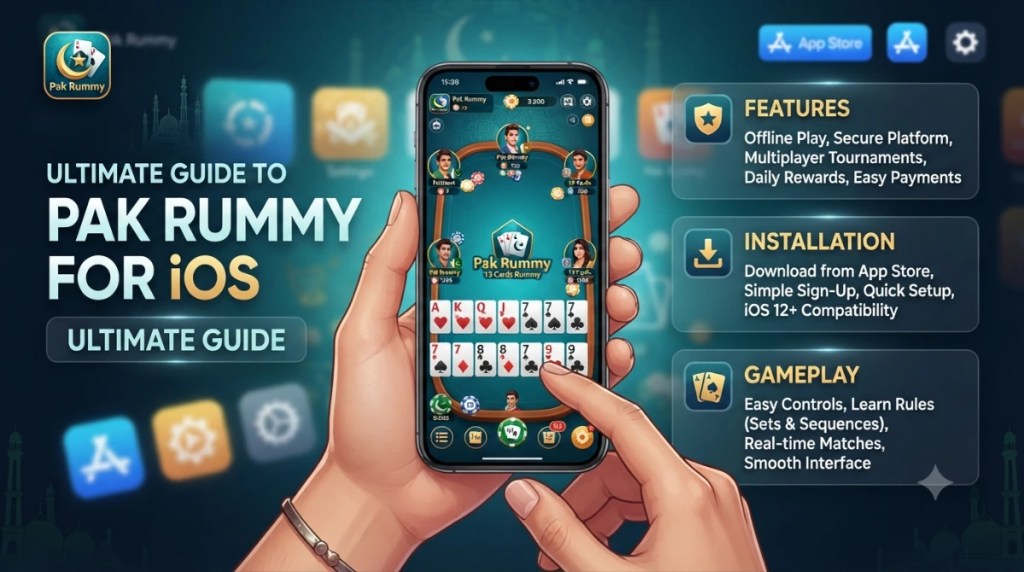
The browser-based approach lets you open Pak Rummy in Safari, log in or register, and access the available games online. This makes it possible to use Pak Rummy on an Apple device without looking for an unofficial iOS installation file.
Important: Use the legitimate Pak Rummy website when accessing the service. Do not install APP, unknown configuration profiles, or modified applications on an iPhone or iPad.
Quick Facts About Pak Rummy for iOS
| Feature | Details |
|---|---|
| Platform | iPhone and iPad |
| Access method | Web browser |
| Recommended browser | Safari |
| APPrequired | No |
| Internet connection | Required for online play |
| Installation | No Android app installation required |
| Account | Required where registration/login is offered |
| Age requirement | 18+ according to the published terms |
The browser approach is particularly useful for iPhone users because an APP cannot be installed directly on iOS.
Can You Play Pak Rummy on iPhone?
Yes. You can play Pak Rummy on an iPhone through your browser.
Instead of downloading an APP, open the Pak Rummy website in Safari or another supported mobile browser. Once the website loads, you can access the available account and gaming features directly from your phone.
You don’t need an Android application to use the browser version.
How to Play Pak Rummy on iPhone
Getting started is straightforward:
- Open Safari on your iPhone.
- Visit the Pak Rummy website.
- Open the login or registration option.
- Sign in to your existing account or register if required.
- Open the available game section.
- Select the game you want to play.
- Follow the rules and controls displayed on the screen.
The exact games and options available depend on the current Pak Rummy service.

What You Need
Before starting, make sure you have:
- An iPhone
- A modern web browser
- A stable internet connection
- The correct Pak Rummy website
- A Pak Rummy account if registration is required
Because gameplay takes place online, an active internet connection is necessary.
How to Play Pak Rummy on iPad
You can use the same browser-based method on an iPad.
- Open Safari, visit the Pak Rummy website, and sign in to your account. From there, use the available navigation to access the games and other features.
- The larger iPad display can make browsing and touchscreen navigation more comfortable.
- No APP is required.
How to Add Pak Rummy to Your iPhone Home Screen
If you use Pak Rummy regularly through Safari, you can add the website to your iPhone Home Screen for quicker access.
- Open Safari.
- Visit the Pak Rummy website.
- Tap the Share button.
- Scroll down and select Add to Home Screen.
- Edit the name if necessary.
- Tap Add.
An icon will then appear on your Home Screen. Tapping it opens the saved website, giving you quicker access without searching for the website every time.
This does not turn the website into a native iOS application. It simply creates a convenient Home Screen shortcut.
Pak Rummy Browser vs App
For iPhone users, browser access avoids the need to install an Android application.
| Browser Access | Android App |
|---|---|
| Opens through a web browser | Installed as an Android application |
| Can be accessed from iPhone/iPad when supported | Designed for Android devices |
| No APP required | Uses an Android application package |
| Access the service through its website | Open the installed application |
| Website updates are available through the service | Application updates depend on its distribution method |
If you’re using an iPhone, the browser option is the appropriate way to access a web-based version rather than trying to install an APP.
Do You Need to Download Pak Rummy on iPhone?
- No. You can access the browser version without downloading an APP.
- Simply open the Pak Rummy website in Safari and use the online service.
- This is useful for iPhone and iPad users who want to play without installing an additional application.
Pak Rummy Registration on iPhone
- If you don’t already have an account, use the registration option displayed on the Pak Rummy website.
- The information requested during registration depends on the current service. Enter your details directly on the legitimate website and complete any verification shown during the registration process.
- After creating an account, use the login option to access the platform.
Pak Rummy Login on iPhone
Existing users can log in through the browser.
Open the Pak Rummy website, select the login option, and enter your registered account information.
If login doesn’t work:
- Check your account details.
- Check your internet connection.
- Refresh the website.
- Try opening the site again in Safari.
- Use the account-recovery option if you have forgotten your password.
Never provide your password to an unofficial person claiming to offer account recovery.
How Pak Rummy Works in a Browser
The browser version allows you to access the service without installing an Android package.
After opening the website, you can use the available navigation and touchscreen controls to access the sections provided by the service.
The exact games, account options, payment methods, and other features depend on the current version of Pak Rummy.
For the best experience, use an updated browser and a reliable internet connection.
Pak Rummy Features on iPhone
The available features depend on the current browser version of the service. Where supported, users may have access to:
- Account registration
- Account login
- Game selection
- Mobile navigation
- Touchscreen controls
- Online gameplay
- Account-related options
Only features actually displayed by the current service should be treated as available.
Tips for a Better Pak Rummy Experience on iPhone
A few simple steps can make browser-based use more convenient.
Use an Updated Browser
Keep Safari or your preferred browser updated so that modern website features work correctly.
Use a Stable Internet Connection
Online gameplay depends on your connection. Wi-Fi or reliable mobile data can reduce loading and connection problems.
Close Unnecessary Tabs
If Safari has many open tabs, closing unused ones can make browsing more manageable.
Add the Website to Your Home Screen
If you access Pak Rummy frequently, the Add to Home Screen option provides a quick way to return to the website.
Keep Your Device Charged
Online gameplay can consume battery, especially during longer sessions. Make sure your iPhone or iPad has enough charge before starting.
Common Pak Rummy Problems on iPhone
The Website Is Not Loading
Check your internet connection and reload the page.
If the problem continues, close Safari and open the website again.
Pak Rummy Is Running Slowly
A weak connection can cause slow loading or delayed responses.
Try switching to a stronger Wi-Fi or mobile-data connection and close unnecessary browser tabs.
Login Is Not Working
Check your account details and internet connection.
If you forgot your password, use the recovery option provided on the login page.
The Game Disconnects
Browser-based games require a stable connection. If the connection drops, the game session may be interrupted.
Reconnect to the internet and reopen the supported Pak Rummy website.
The Website Looks Incorrect
Make sure you’re using an updated browser. You can also refresh the page or restart Safari.
If the problem continues, it may be a temporary website or service issue.
Is Pak Rummy for iOS Safe?
Use the legitimate Pak Rummy website when accessing the browser version.
Avoid websites that ask you to install:
- Unknown configuration profiles
- Modified applications
- Unverified certificates
- Suspicious files
- Software claiming to bypass iOS security
You should also verify the website before entering account or payment information.
Because Pak Rummy involves online gaming and may involve real-money features, review the service’s terms, fees, eligibility requirements, and applicable local rules before participating.
Age Requirement
Pak Rummy’s published terms state that users must be 18 or older. Users should also meet any other eligibility requirements that apply to the service.
Do not register or participate if you do not meet the stated age requirement.
Regional and Legal Considerations
The availability and legality of real-money gaming can depend on the user’s location.
Before depositing money or participating in real-money games, review the current Pak Rummy terms and determine whether the service is legally available to you.
Do not assume that a website being accessible from your location automatically means that every form of real-money gaming is legally permitted there.
Frequently Asked Questions
Can I play Pak Rummy on iPhone?
Yes. You can access Pak Rummy through a browser on an iPhone and use the available online features without installing an APP.
Can I play Pak Rummy on iPad?
Yes. Open the Pak Rummy website in Safari on your iPad and use the available browser-based service.
Do I need an APK to play Pak Rummy on iPhone?
No. APK files are designed for Android. iPhone users can access the browser version instead.
Can I add Pak Rummy to my iPhone Home Screen?
Yes. Open the website in Safari, tap Share, select Add to Home Screen, and confirm. This creates a shortcut to the website.
Can I play Pak Rummy without installing an app?
Yes. Browser access allows you to use the service online without installing an Android application.
Final Verdict
Pak Rummy for iOS can be accessed through a browser on iPhone and iPad. You don’t need to install an APP to use the browser-based service.
Open the Pak Rummy website in Safari, log in or register, and access the available games online. If you use the service regularly, you can also add the website to your iPhone Home Screen for faster access.
For the safest experience, use the legitimate Pak Rummy website, avoid unofficial installation files, and review the current terms, age requirements, fees, and applicable local rules before participating in real-money gaming.